Perfectionist Auto Sound and Security

Alaska's Most Award Winning Auto Customizer

  • About Us
    • Why Choose Us
    • Meet Our Team
    • Our Awards
    • Virtual Tour
    • Community Engagement
  • Signature Products
    • DroneMobile
    • SoundShield®
  • Services
    • Remote Car Starters
      • Vehicle Security
    • Car Audio
      • Sound Deadening
    • Custom Fabrication
    • Driver Safety
      • Bluetooth
      • Blind Spot Safety Systems
      • Camera Systems
      • Navigation Systems
    • Laser And Radar Detectors
    • Lighting
    • Offroad and Marine
      • Motorcycle Audio
    • Custom Interiors
    • Performance
      • Tires and Wheels
      • Suspensions / Lift & Lower
    • PRO Commercial Division
  • Gallery
    • Photos
    • Videos
    • Wallpaper Downloads
  • Contact Us
    • FAQ
    • Feedback
    • Join Our Team

Two-Way Remote Start Added to 2019 Audi Allroad Push-to-Start

02/20/2020 By John Schwartz

2019 Audi Allroad
2019 Audi Allroad
2019 Audi Allroad
2019 Audi Allroad
2019 Audi Allroad

A local client from Anchorage, Alaska, recently came to us looking for a remote start for her 2019 Audi Allroad. After talking with her about what kind of range and features she was looking for, we decided to install the Compustar Prime 901, a two-way remote with an LCD screen, and the DroneMobile app. “Two-way” means she will be notified when the vehicle is started, locked or unlocked through an audible tone and an LCD screen – even through a push notification when using the Compustar Drone app. “LCD screen” means that the remote comes with a digital screen that provides feedback, showing icons for lock and unlock, the time, the internal temperature of the vehicle, and whether the vehicle is started or stopped, as opposed to just buttons on an LED remote.

Since this 2019 Audi is a push-to-start, it goes to show how experienced our technicians are at installing auto starts, especially for European vehicles. Our customer was over the moon when she came to pick up her vehicle, knowing that she had a reliable remote start that guarantees she stays warm all winter long and can cool down her vehicle on hot summer days.

The next time you’re looking for an autostart and need highly skilled and trained installers to work on your complex European vehicle, Perfectionist Auto Sound and Security will take care of you. Contact us using our website or stop in, and we’ll be here to help you.

Filed Under: INSTALLATIONS, Remote Car Starters, Smartphone Integration Tagged With: 2019, Allroad, Audi, Compustar, DroneMobile

Safer Nighttime Driving Tips

02/16/2020 By John Schwartz

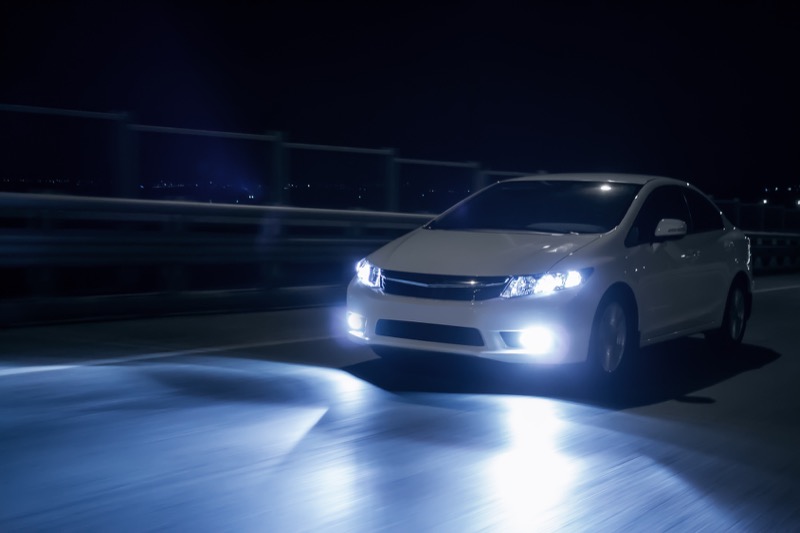
Night DrivingYour lighting system remains the most important safety component of your vehicle once the sun sets. If you can’t see objects around you, or far enough ahead of you, the chances of having a serious accident are significant and the outcome could be deadly. Ensuring proper night vision is the most important aspect of driving after sunset. Follow along as we learn about lighting and explore some nighttime driving tips.

Headlight Components and Modifications

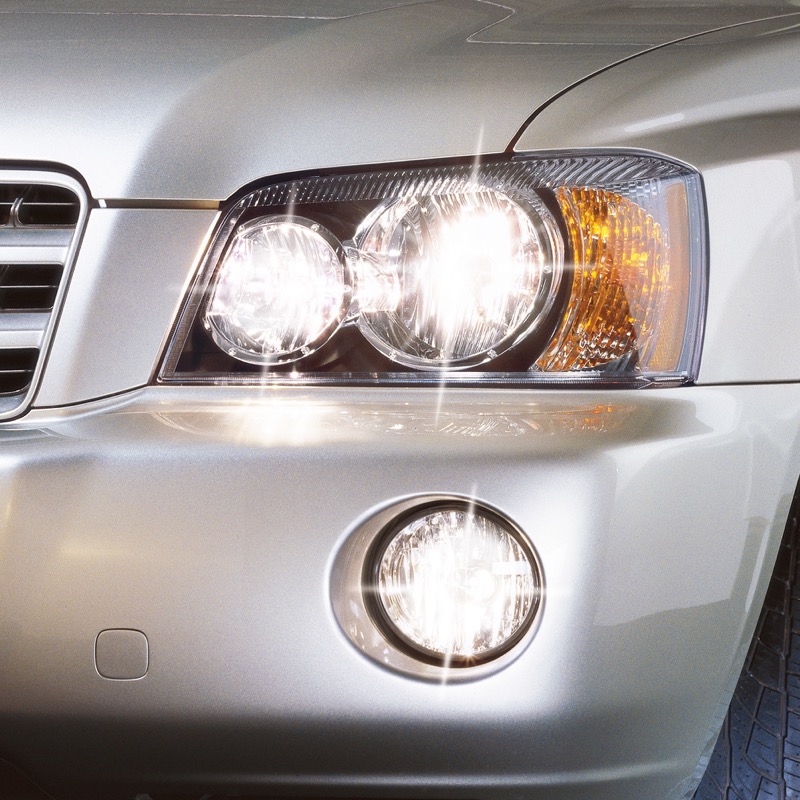
Nighttime Driving TipsThere are many options for improving how far you can see at night. Upgraded headlight bulbs and new headlight assemblies are the most popular. If you are fanatical about your lighting, you may want to look into a headlight retrofit. The retrofit process involves taking the headlight assembly apart and installing new projectors, and often new HID bulbs and ballasts.

When it comes to light assembly upgrades, too many times, people choose something that looks good or adds a little style to their vehicle. Halo rings and LED strips look cool, but don’t forget to focus on sheer performance. A proper beam pattern and efficient light production are what keep you safe.

Auxiliary Lighting Upgrades

Nighttime Driving TipsChoosing a set of auxiliary lights is a great way to increase the distance you can see. Many companies offer high-quality LED lights that your mobile enhancement retailer can integrate into your vehicle.

Be careful, though – not all lighting is legal to use on public roads. Those cool 54-inch curved LED light bars are amazing when you decide to head out on the trails after dark, but they may not be legal for use around town. Check the laws in your area before you purchase. If you want to be sure your upgrade is legal, look for DOT or SAE approval on the light assembly. When installed properly, these lighting systems won’t blind oncoming drivers.

Eight Tips to Improve Night Vision while Driving

Let’s face it: The only time we need our lighting system is after the sun sets. Upgrading bulbs, lenses and light assemblies go a long way to ensuring we are safe. There are several other things you can do to ensure you can see as far as possible. Here are eight things you can do to improve your night vision. Most of them are completely free!

1 – Make sure your lights are perfectly aimed

If you get flashed by oncoming drivers, see the leaves in the trees above your car or can’t see very far, the first step is to ensure your lights are aimed properly. Seek out the expertise of a local mobile enhancement retailer that specializes in lighting upgrades for help with the alignment process.

2 – Turn down the dash lights

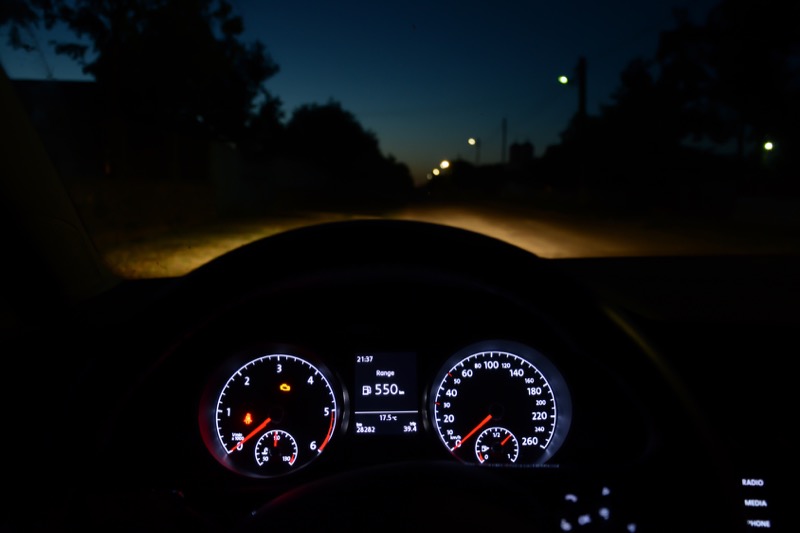
Nighttime Driving TipsWhen the lights on your dash are bright, the irises of your eyes will contract to reduce the amount of light that enters them. While this works great for balancing the brightness of lighting in the vehicle, it can work against your ability to see for long distances. If you keep the interior dark, you can see farther.

3 – Turn off your fog lights

Your fog lights cause a situation similar to overly bright dash lighting. If the area directly in front of your vehicle is bright, your eyes will adjust to that light level and reduce how far you can see. A properly designed lighting system should provide balanced foreground and long-distance light.

4 – Keep those lenses in good shape

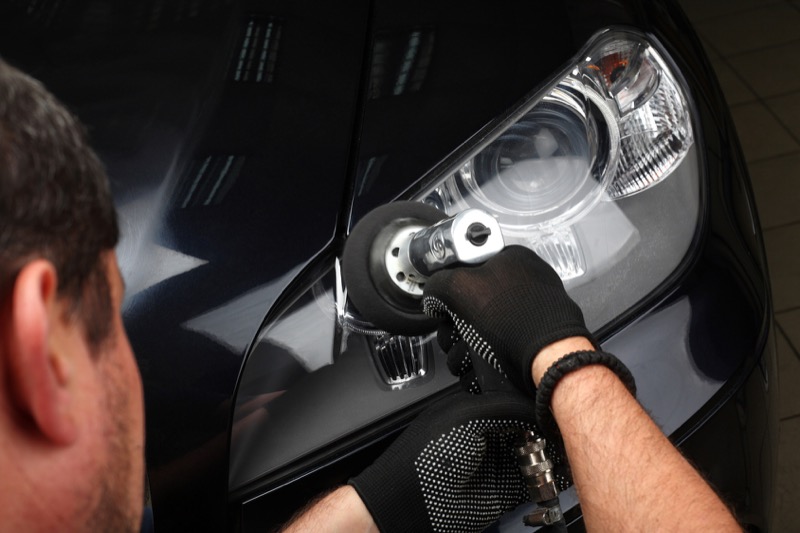
Nighttime Driving TipsIf the plastic lenses on your headlights are yellowing or chalky, they will reduce the amount of light that gets from the bulb to the road. Many high-quality lens restoration kits are available that can restore lens clarity and improve visibility.

5 – Keep your windshield clean

It only makes sense that being able to see out of your vehicle is going to improve your ability to drive safely at night. Use a high-quality glass cleaner and a lint-free cloth or microfiber towel to keep the interior of the windshield clean. A great trick for getting rid of stubborn, oily film that builds up over time is to use newspaper and your favorite window cleaner to wipe the windows. The newspaper won’t leave any lint.

Keep the outside of your windshield clean as well. If a cloth or cleaner won’t remove everything, you can escalate to a clay bar or even 0000 steel wool. Just keep the steel wool away from the trim.

6 – Be careful where you look

Nighttime Driving TipsWhen a car is coming toward you, try not to look into the light. In the same way that bright dash lights cause your irises to close, so too will oncoming headlights. Some advanced driver training courses even suggest closing one eye. We suggest trying to focus ahead of your vehicle.

7 – Be prepared for rain

Few things are worse than trying to drive at night while it’s raining. Ensure your wiper blades are in excellent condition and aren’t leaving streaks. If they are, you can try cleaning the edges with a little isopropyl alcohol and a soft cloth. The next step is to simply replace your wiper blades – they don’t last forever.

Treating your windshield with a high-quality hydrophobic window treatment like Aquapel, Opti-Glass or Rain-X will help water bead up and roll off your windows without your having to use your wiper blades at all.

8 – Take care of your eyes

Nighttime Driving TipsEat your carrots! OK, well, eat whatever you want, but don’t look at the sun or a solar eclipse. Make sure you wear high-quality sunglasses to prevent macular degeneration from UV exposure. Wear “computer glasses” if you are going to be staring at a monitor all day. If you are working with power tools or in risky situations, wear safety glasses or goggles. Most importantly, visit an optometrist regularly to stay on top of your eye health.

Drive Safely

Combining the above tips with a properly aimed, high-quality lighting system can dramatically increase your safety, and the safety of those around you. If you are interested in upgrading your lighting system or adding more lights, drop by your local mobile enhancement retailer and talk to them about your needs.

This article is written and produced by the team at www.BestCarAudio.com. Reproduction or use of any kind is prohibited without the express written permission of 1sixty8 media.

Filed Under: ARTICLES, Lighting, RESOURCE LIBRARY

Compustar Unlimited Range Remote Start Upgrade for 2017 Nissan Rogue

02/14/2020 By John Schwartz

2017 Nissan Rogue
2017 Nissan Rogue
2017 Nissan Rogue
2017 Nissan Rogue
2017 Nissan Rogue

During the winter months at Perfectionist Auto Sound and Security, we do around 12 autostarts a day — sometimes even more — so when a customer came in with a 2017 Nissan Rogue, we were easily able to help him decide on a remote and guarantee a clean, reliable and professional install. After all, we service Nissans almost every single day.

This customer decided to go with the Prime G15, a remote with a range of half a mile, and the Compustar DroneMobile, the app for your smartphone that is able to start, stop, lock and unlock your vehicle with virtually unlimited range. The Prime G15 is a two-way remote, “two-way” meaning that he will be notified when the vehicle is started, locked or unlocked through an LED light, audible tone or LCD screen — and even through a push notification when he’s using the Compustar drone app.

The customer was smiling and happy when he picked up his Nissan Rogue, knowing that he could now enjoy a warm and cozy vehicle for the long winter months or enjoy a cool vehicle during our sweltering summers.

For more information about our remote starts, check out the remote start section of our website for the full rundown on all of the great remote start packages and features that we have available. Contact us here for more information, or better yet, just stop in and any one of us would be happy to help you.

Filed Under: INSTALLATIONS, Remote Car Starters, Smartphone Integration Tagged With: 2017, Compustar, DroneMobile, Nissan, Rogue

Lighting Upgrade for Anchorage GMC Sierra 2500

02/12/2020 By John Schwartz

Truck LightingA client from here in Anchorage contacted the team at Perfectionist Auto Sound & Security to inquire about a lighting upgrade for his 2018 GMC Sierra 2500 pickup truck. The client wanted better fog lights to help light the area adjacent to the road as well as a high-output driving light that would provide long-range illumination. After inspecting the vehicle, we put together a package that would deliver amazing performance and reliability.

GMC Sierra Fog Light Upgrade

Truck Lighting
The corners of the bumpers received a Rigid fog light upgrade.

We started the project by removing the front grille and bumper from the truck. The first order of business was to mount a set of Rigid Industries 504813 D-Series fog light pods in the bumper using a Rigid 46543 mounting kit. These lights create an SAE-compliant light pattern that makes them legal for use on public roads. The wide 52-degree beam angle ensures that any animals at the sides of the road are illuminated clearly to make night driving safer. Our team wired the new lights into the original fog light circuit so that they can be controlled with the original fog light switch.

High-Performance Lighting

Truck Lighting
Our team created custom brackets for the new lighting.
Truck Lighting
The light bar bolts securely to the radiator supports.
Truck Lighting
Metal brackets were test-fit before painting.
Truck Lighting
The new lighting tucks neatly between the grille openings.

With the fog light upgrade installed, the next step was to mount a combination spot and driving light upgrade just behind the front grille. We proposed the Rigid 931314 SR-Series 30-inch light bar because it would provide illumination out to more than 600 feet.

Our team took a series of measurements that would locate the light in the very center of the lower opening in the grille. Based on the information we gathered, we fabricated a set of custom mounting brackets that bolt to the front radiator support to ensure that the light is solid and secure. Of course, we protected the brackets with corrosion-resistant paint so they would look good and be reliable.

With the brackets in place and the bar mounted, our team integrated the wiring for the new light into the factory high-beam control circuit. We wrapped all the wires in automotive-grade cloth tape to protect them from the elements, then secured everything to using zip ties to prevent issues from vibration as the truck travels down the road. We finished the project by aiming the lights for perfect long-range performance that won’t blind oncoming drivers.

Anchorage’s Truck Accessory Experts

With the truck lighting upgrade project complete, the client returned to Perfectionist Auto Sound & Security to pick up his vehicle. We showed him the work we had done and explained how to turn on each of the lights. He was thrilled with the results. If you’re shopping for a lighting upgrade for your vehicle, drop by our store, give us a call or send our team an email using our contact form.

Filed Under: FEATURED INSTALLATIONS, Lighting Tagged With: 2018, 2500, GMC, Rigid Industries, Sierra

A Quick Look at Apple and Android Smartphones

02/09/2020 By John Schwartz

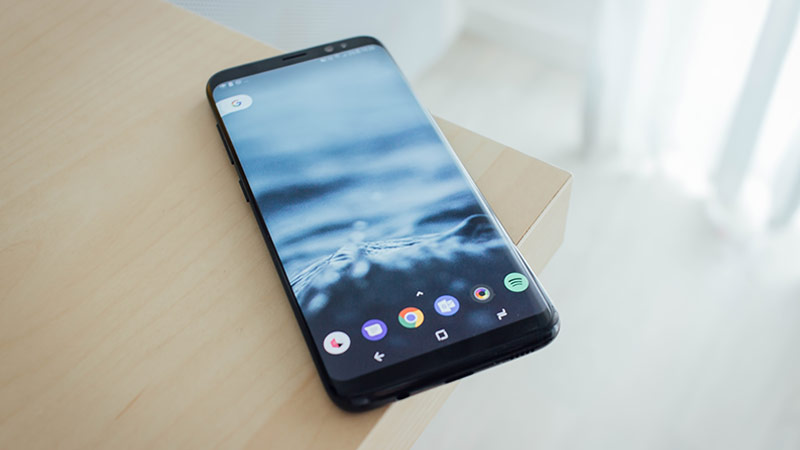
Apple and Android SmartphonesLooking back to the Palm Pilot and the original Blackberry, we have been on a constant path toward having full-blown computers with us at all times. Fast-forward a few decades and it’s rare that folks don’t have a smartphone in their pocket or purse. Apple and Android smartphones have changed the way we communicate and are entertained.

In the mobile electronics industry, we have been working hard to find ways to integrate your smartphone into your vehicle to help you safely communicate and listen to your music. Dive into any discussion about smartphones on Facebook, and you’ll quickly see it turn into a battle of which kind is better. As each device changes, seemingly by the hour, answering that question is nearly impossible. With that said, there are definitely benefits and drawbacks to each. Let’s look at some cold, hard facts about the Android and iOS operating systems and their associated hardware.

A Brief History of the iPhone

Launched in the summer of 2007 by Steve Jobs, the iPhone was touted as a game-changer in communication technology. Apple retains a unique advantage over Android-based smartphones in that it controls not only the hardware chosen for the device but the software as well. The iOS operating system is designed and tested to work together with the iPhone.

iPhone Complaints

Apple and Android SmartphonesWhat company doesn’t have haters? People either love the iPhone for iOS for its interface, associated software and approved hardware accessory devices or hate it for its monopolistic approach. Few people like having to use iTunes to load their music and the cost of MFI (Made for iPhone/iPod) approved cables and devices definitely raises their cost.

Is there a benefit? Definitely. When you buy an approved accessory, you know it will work. When you transfer music, you know it will play. You may lose some of the independence of doing what you want when you want, how you want, but the infrastructure exists to make owning and using an iPhone as trouble-free as possible.

Apple is often criticized by Android users for being late to the party with new features: “Oh, you added facial recognition to the iPhone X and wireless charging to the iPhone 8! That’s great, Android phones had that last year.” Maybe it takes longer for Apple to test these technologies. Maybe the development and testing time for each new phone takes a lot longer. We may never know, but it sure is nice when the features arrive and work flawlessly.

iPhone in the Car

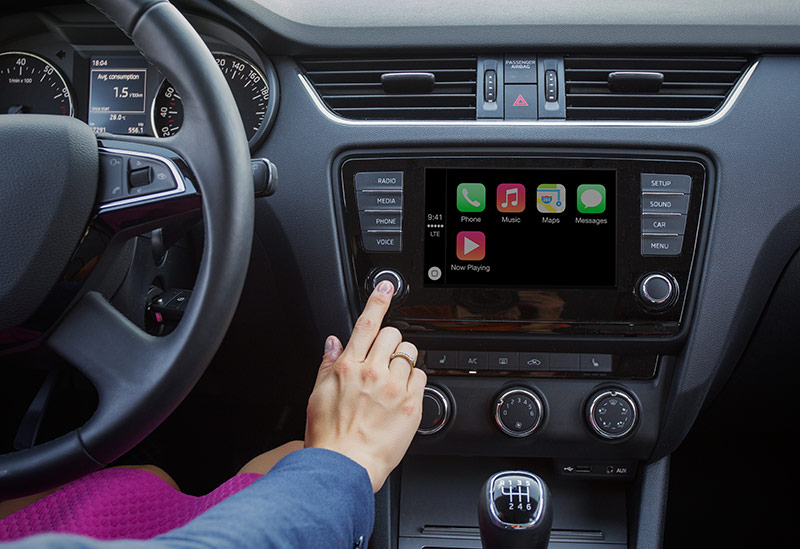
Apple and Android SmartphonesApple led the automotive smartphone connectivity battle with CarPlay. CarPlay was launched at the Geneva Motor Show in 2014 with Ferrari, Mercedes-Benz and Volvo as its first automotive partners. CarPlay offers an interface that mimics the icon layout on the phone to make using the system intuitive.

CarPlay allows users to use the Siri voice recognition engine to perform tasks like listening to text messages, making phone calls, selecting music and choosing navigation destinations. You don’t have to look at the screen at all to initiate any of those tasks.

With Apple under control of the CarPlay software, both OEM and aftermarket infotainment system manufacturers need to send samples to Apple for testing and approval before they can be sold. Apple works at its own pace, and we know this can cause delays. Are they worth it? If the system works the way it should, then most definitely.

Android-Based Smartphones

Apple and Android SmartphonesDeveloped by Google, the Android mobile operating system started development in 2005 and was launched in 2007. At the same time, the Open Handset Alliance – a consortium of hardware, software and telecommunication companies – was launched to advance open standards for mobile devices. The goal of the Open Handset Alliance was to create an open competitor to Symbian, Blackberry OS and iOS-powered devices. The first Android-based device was the T-Mobile G1, developed by HTC and launched in September 2008.

A fun fact about Android is its naming convention for each major release. While this practice is not uncommon, the names are rarely shared with the public. In order, the code names have been Cupcake, Donut, Eclair, Froyo, Gingerbread, Honeycomb, Ice Cream Sandwich, Jelly Bean, KitKat, Lollipop, Marshmallow, Nougat and, most recently, Oreo. Clearly, the Android development team has a snacking issue.

Is Free Good?

Apple and Android SmartphonesAs we stated, the Android mobile operating system is released by Google under an open source license. This means that phone manufacturers don’t need to buy or license the operating system. This can reduce development costs and accelerate the focus on new technology.

As with most things, for every silver lining, there is a dark storm cloud nearby. With phone manufacturers like Samsung, Huawei, LG, Sony and HTC each creating their own hardware and implementation of the Android operating system, updates for each device are at the mercy of the manufacturer and the wireless carriers. With Android about to roll out Version 8.1.0, not every device will get an upgrade.

In May 2017, coinciding with the launch of Android 8.0, Google announced Project Treble with a goal to streamline and simplify the update process for Android-powered devices. Only time will tell how successful they are.

Is Easy Good?

If you want to put a few songs on your Android phone, connect the USB cable to your computer, and drag the files to the Music folder. You can manage the files on your computer however you want, or not at all – if that’s your cup of tea. Similar folders exist for Pictures, Podcasts, Ringtones and Movies. You can treat them the same way you would a USB memory stick.

When Apple announced the iPod would move from Firewire to USB, radio manufacturers were quick to adopt interfaces that would allow control playback of the songs on the device in the car. This adoption took a lot longer for Android, and even up until last year, some source units could not play music stored on an Android phone by simply connecting the USB cable.

Bluetooth Problems

Apple and Android SmartphonesWith Apple and Android smartphones, Bluetooth connectivity is a big issue. Almost everyone has a Bluetooth hands-free solution in their car, so being able to use your phone with it is crucial to your productivity. Apple hasn’t been flawless in terms of backward compatibility to older source units, but for the most part, they seem to work well. Android, on the other hand, has been plagued with connectivity issues that vary by the phone manufacturer. Several aftermarket radio manufacturers cringe when dealers or consumers call about Bluetooth issues from specific brands.

Imagine if you update your smartphone and you can no longer connect to your vehicle’s hands-free system. With Apple, you can complain at the Apple Store or log into their support website. Though they won’t admit it outright, they pay attention to these issues and in many cases, fixes are released in updates.

If you own an Android-based phone, whom do you call when something doesn’t work? The store you bought the phone from? Your carrier? The manufacturer? Google? Simultaneously, each of them and none of them are singly responsible for the issue, nor can any one of them directly help you find a solution. Sure, there are exceptions, but with the open source philosophy of Android, connectivity with third-party devices is a lot more variable.

Android in the Car

Apple and Android Smartphones Android Auto was announced in 2014 as a joint effort between 28 automobile manufacturers. The actual Android Auto app was released on March 19, 2015; in May 2015, the Hyundai Sonata became the first vehicle to offer Android Auto support. Android Auto offers similar functionality to CarPlay, but eschews the menu-driven foundation and provides information about the function you are using on the screen. Voice commands and features work similarly to CarPlay.

Android Auto has an advantage over CarPlay with Google Maps and Waze. Both of these navigation solutions are considered superior to Apple Maps. You will find that many Apple users, unless they are using CarPlay, use the iOS versions of Waze and Google maps for their navigation needs.

Which Phone is Better?

Apple and Android SmartphonesOur goal isn’t to determine a winner in the battle of Apple and Android smartphones – that’s up to each individual user. If you use Macintosh-based computers at home, you may see no better option than to choose an iPhone. If you like the freedom of Android open architecture, there’s absolutely nothing wrong with that.

Integration for Apple and Android Smartphones

No matter which phone technology you use, your local mobile enhancement retailer can help you integrate your phone into your vehicle. CarPlay, Android Auto, wireless charging, audio streaming, hands-free calling solutions or even a custom mounting bracket are available for most vehicles. Drop by and see how they can make using your smartphone in your car safer and easier.

Steve Jobs photo by Ben Stanfield (https://www.flickr.com/photos/acaben/541326656/) [CC BY-SA 2.0 (https://creativecommons.org/licenses/by-sa/2.0)], via Wikimedia Commons

This article is written and produced by the team at www.BestCarAudio.com. Reproduction or use of any kind is prohibited without the express written permission of 1sixty8 media.

Filed Under: ARTICLES, RESOURCE LIBRARY, Smartphone Integration, Uncategorized

  • « Previous Page
  • 1
  • …
  • 32
  • 33
  • 34
  • 35
  • 36
  • …
  • 82
  • Next Page »

801 EAST 82ND AVE
ANCHORAGE ALASKA 99518
907-563-8112

Copyright © 2026 | Site design by award-winning creative agency D'zine Alaska , with site support by 1sixty8 Media and Modern Media Geeks.