Perfectionist Auto Sound and Security

Alaska's Most Award Winning Auto Customizer

  • About Us
    • Why Choose Us
    • Meet Our Team
    • Our Awards
    • Virtual Tour
    • Community Engagement
  • Signature Products
    • DroneMobile
    • SoundShield®
  • Services
    • Remote Car Starters
      • Vehicle Security
    • Car Audio
      • Sound Deadening
    • Custom Fabrication
    • Driver Safety
      • Bluetooth
      • Blind Spot Safety Systems
      • Camera Systems
      • Navigation Systems
    • Laser And Radar Detectors
    • Lighting
    • Offroad and Marine
      • Motorcycle Audio
    • Custom Interiors
    • Performance
      • Tires and Wheels
      • Suspensions / Lift & Lower
    • PRO Commercial Division
  • Gallery
    • Photos
    • Videos
    • Wallpaper Downloads
  • Contact Us
    • FAQ
    • Feedback
    • Join Our Team

Remote Starter Smartphone Control Available Just In Time For Winter

01/05/2020 By John Schwartz

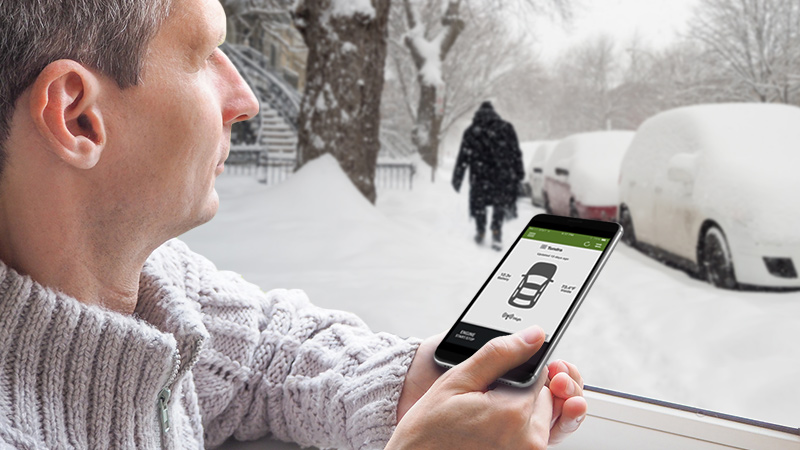
Remote Starter Smartphone ControlWith the colder weather upon us, the mobile electronics industry is shifting its focus from audio systems to remote car starters. When it comes to buying a remote car starter, the biggest decision consumers have to make is how much range they need. If you are looking for the ultimate in convenience, a telematics system that uses your smartphone to communicate with the remote starter system is the epitome of control solutions. Let’s look at how smartphone control systems work and some of the options they provide.

How Smartphone Remote Starters Work

Remote Starter Smartphone Control
Unlock the potential of your remote car starter range with a smartphone.

A remote car starter is, in concept, a very simple premise. Pressing a button on a radio-frequency remote control tells a control module (or two) in your car, truck or SUV to start. A limitation of this technology is range – that’s the distance between you and your vehicle where commands from the remote work reliably. If you are farther away than your remote control allows, your vehicle won’t start.

A few years ago, someone came up with the idea to use a cellular radio to transmit information to and from your remote car starter system. This cellular radio uses the same technology as your cell phone but foregoes the ability to transmit audio. Pressing a button on your phone’s screen transmits a command to the system’s network server using your cellular data connection. The server authenticates your user account, then forwards that command to the cellular radio in the car through a cell phone carrier. Once the module in the car receives the signal, it tells the remote car starter to begin the starting sequence. While this sounds complicated, the entire process typically takes less than 20 seconds.

Two-Way Communication

Once the car starts successfully, the control module in the car sends a confirmation back to the server, which relays that message to the app on your phone. The application will display an icon or message that shows the vehicle has started. This bidirectional confirmation lets you know when your vehicle has completed any requested task. Door locking, unlocking, power trunk release and system auxiliary outputs are controllable from within most applications.

Added Features and Functions
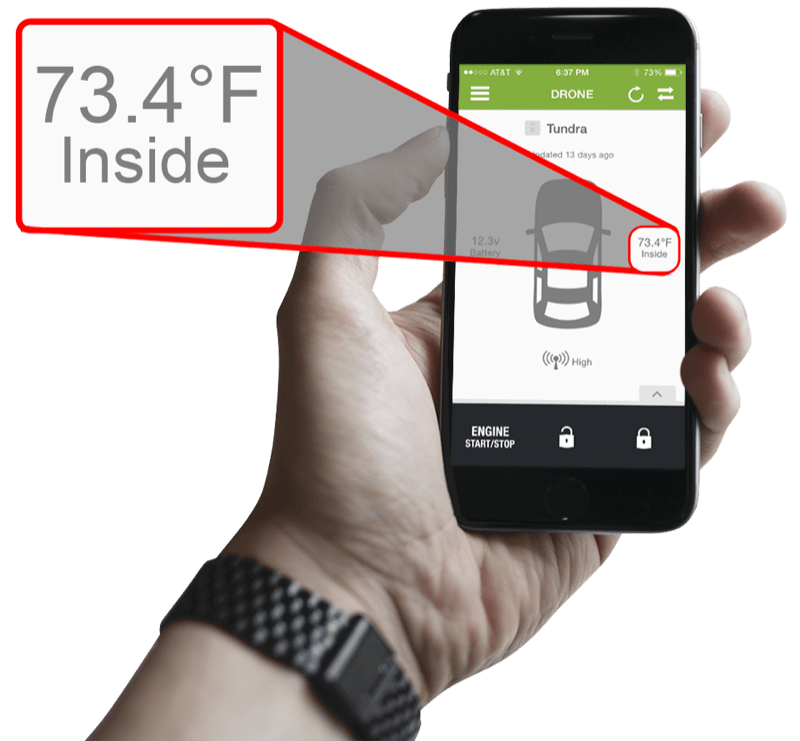
Remote Starter Smartphone ControlOnce you have the control module in your vehicle, many additional functions can be performed. While some remote starter systems require additional hardware, you can usually check the temperature of the vehicle interior or request the vehicle’s battery voltage from the app.

Some premium control modules include a compact GPS receiver. Pressing a button on the smartphone app will send a request for the GPS receiver to provide the vehicle location. The app will display the location on a map and will typically include the vehicle’s speed and heading. The location is typically accurate to within a few meters and can be as detailed as letting you know which side of your driveway the car is parked on.

Security Features

Most applications include the ability to configure alerts that use location information. Geofencing will send you an alert if your vehicle enters or exits a preset area. Perhaps one of your kids is supposed to stay within the city limits when he or she borrows a vehicle. Some systems provide automatic alerts if the vehicle changes location without having been unlocked first. This warning is often a sign that someone is trying to tow your vehicle.

Most cellular control modules will work with security systems as well. You can arm or disarm the system using the app. If the alarm is triggered, a warning will be displayed on your phone in seconds. Some systems can be configured to send a text message and an e-mail as well.

Do I Have To Worry About Range?

The beauty of using the cellular communication network is that there is no real limit to how far away you can be from your vehicle. As long as your phone and the vehicle are in an area covered by cell towers, you can be across the street or across the country and still be able to communicate with your remote starter. In fact, your vehicle could be parked at the local airport and you could be sitting poolside in the tropics. As long as you have cell phone access, you are connected.

Is There a Cost Involved?

Remote Starter Smartphone Control
Your local retailer can review plan options with you.

Manufacturers of these smartphone control modules use third-party cellular networks. As such, they have to pay for that usage. This cost is passed on to the consumer. Most service plans start around $6 a month for basic remote control function coverage. These basic plans include locking, unlocking, remote starting and control of auxiliary outputs. There are typically discounts for yearly or multi-year subscriptions.

For systems with GPS functions, plan pricing starts at about $8 a month. These premium services add vehicle location and speed requests, over-speed alerts and the aforementioned geofencing features.

Are These Tracking Systems?
Remote Starter Smartphone Control
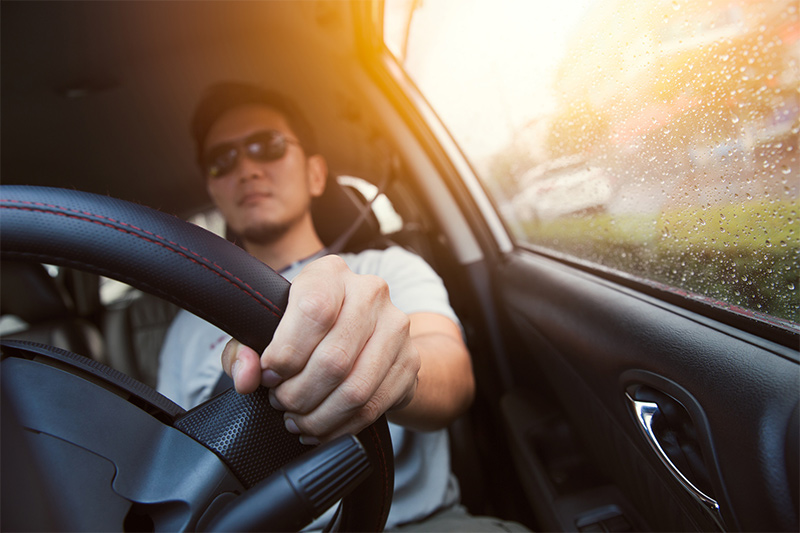
Aggressive driving behaviors can be alerted with some systems.

While any of the GPS systems can certainly provide the vehicle location at a moment’s notice, these systems operate differently than a classic tracking system. Modern tracking systems automatically transmit their location to the host server every few minutes. Depending on how the information will be used, the frequency of these transmissions varies between 1 and 20 minutes while the vehicle is in operation. Tracking solutions designed for corporate applications can track mileage and idle time and can help manage maintenance schedules. A few systems include logic to identify aggressive driving behaviors to assist in driver coaching.

Remote Starter Smartphone Control Is Here Now

Many manufacturers offer integration with smartwatches like the Apple Watch. The app on the watch relays information to the phone, and subsequently, on to your vehicle. Alerts from the vehicle are, of course, displayed on your watch.

Several companies are working to integrate Google Home and Amazon’s Alexa and Echo voice control into their telematics systems. Currently, there are safety issues around appropriate security and authentication processes, but being able to lock and unlock your vehicle is as simple as saying, “OK, Google, unlock my car.”

Visit Your Local Mobile Electronics Specialty Retailer Today

If you are interested in a telematics system for your car, truck or SUV, drop into your local mobile electronics specialty retailer. Ask them about adding a remote car starter or security system with smartphone control to your vehicle. They will be able to explain all the options and let you know what the cost will be. With your smartphone able to control your vehicle, locking keys in the car or not having enough range on your remote starter will never be a concern again.

This article is written and produced by the team at www.BestCarAudio.com. Reproduction or use of any kind is prohibited without the express written permission of 1sixty8 media.
Filed Under: ARTICLES, Remote Car Starters, RESOURCE LIBRARY

Laser Detectors vs. Laser Transceivers

12/29/2019 By John Schwartz

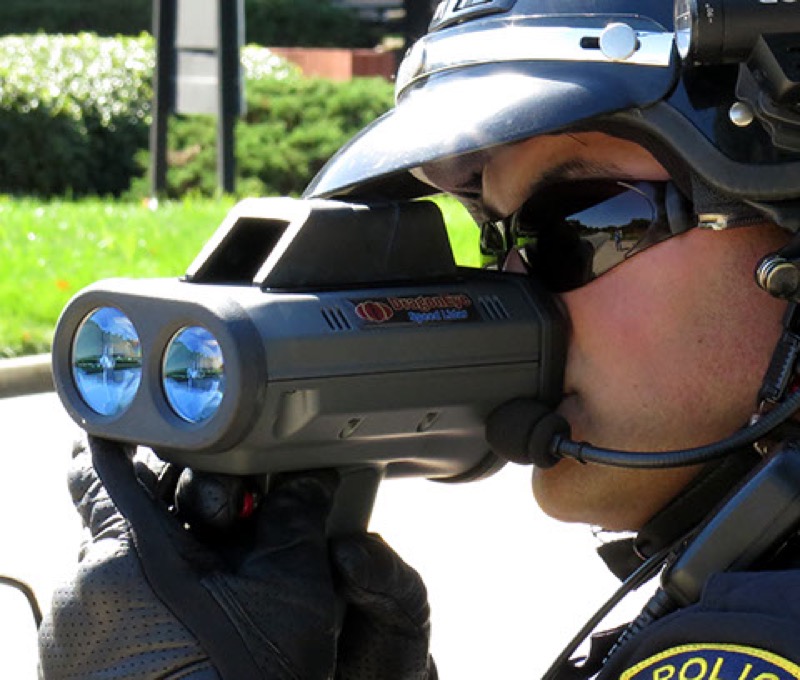
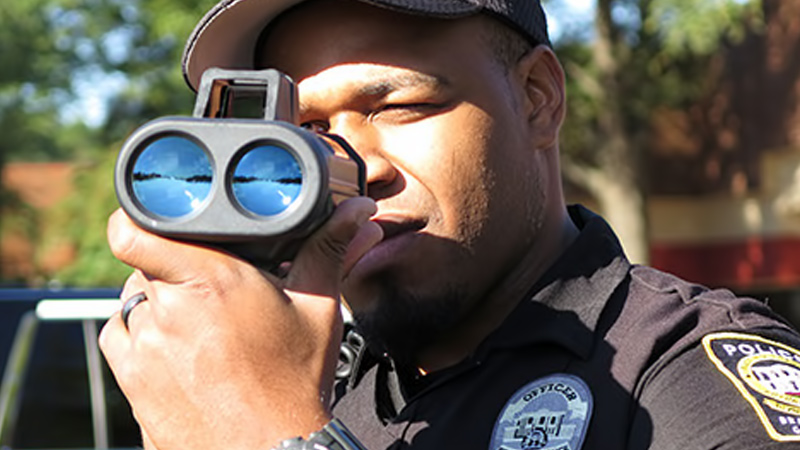
Laser DetectorsIn any discussion of modern radar or laser detectors, the question of how to handle laser or Lidar speed measurement should be a fundamental and important aspect. More and more law enforcement agencies are switching to Lidar guns because they offer very precise speed measurements of a single vehicle, even at distances as far as 6,000 feet. An officer using a Lidar gun can measure the speed of your car, truck or SUV in as little as 0.3 seconds.

Portable Radar and Laser Detectors

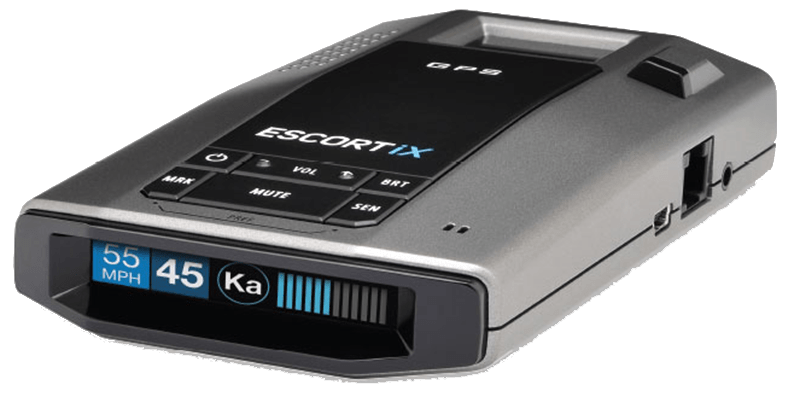
Laser DetectorsWhen it comes to radar detectors, there are two basic options. Portable radar detectors mount to your windshield or rearview mirror and are often powered by a simple cigarette lighter plug. These all-in-one solutions do an excellent job of detecting long-range radar signals, thanks to their high mounting location on the vehicle. When it comes to Lidar guns, though, the best a portable radar detector can do is to advise you when it detects the laser beam.

What’s wrong with knowing that Lidar is being used? If the police officer was targeting your vehicle, he had the speed measurement before you could even put your foot on the brake pedal. Most radar detector users consider the laser detection system on a portable radar detector as an “I am about to get a ticket” warning.

Why do portable radar detector systems have Lidar detectors? The manufacturers hope that the system picks up a laser signal that has been reflected off a nearby vehicle. If you weren’t specifically targeted, this alert may be enough warning to let you slow down to a safe speed.

Custom-installed Radar Detectors

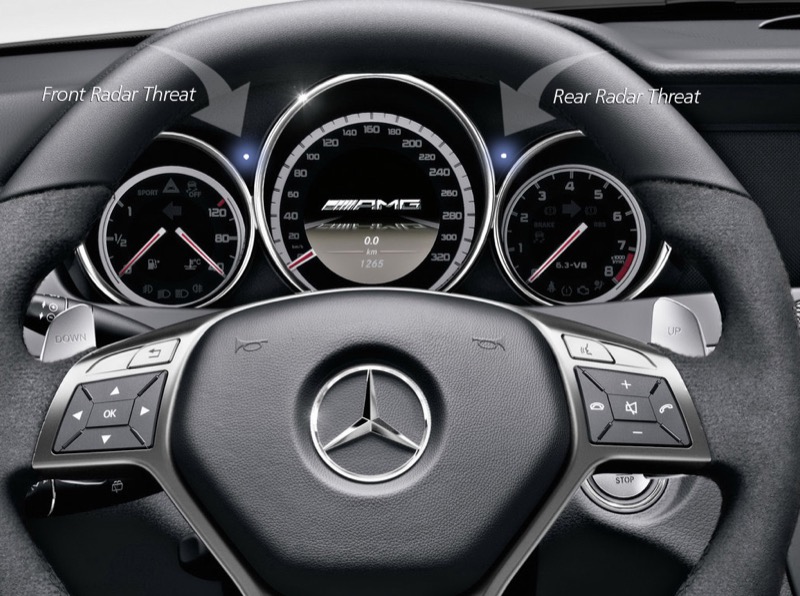
Laser DetectorsThe other option for a radar detector system is one that is custom-installed in your vehicle. In this system, a dedicated radar receiver is mounted behind the plastic front bumper cover and in some vehicles, an extra radar receiver in the rear. Depending on the brand of the detector you purchase, a small display module may be mounted inside the vehicle, or you may have a simple warning LED or two and a speaker system that will alert you to what type of speed measurement system was detected. Custom-installed radar detectors use larger, higher-sensitivity radar receivers to provide excellent performance.

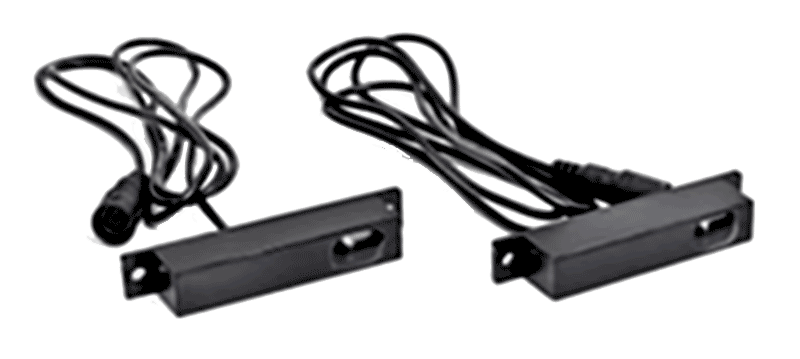
Laser DetectorsWhen it comes to Lidar, a custom-installed radar system can provide defense against laser speed measurements. Here’s why. Many systems include, or have the option to add, laser transceivers that mount in your front grille. In the same way that a portable radar detector includes laser detection, the custom-installed system also monitors the common laser wavelengths for signs of Lidar measurement.

Here is where things change dramatically. Once the system detects a Lidar signal, it immediately transmits random information on the same wavelength to confuse the Lidar gun. If your laser transceivers are installed and aligned properly, the police officer won’t be able to get a speed measurement from your vehicle.

There’s a Part 2 to this Story

If the laser transceiver system simply continued to confuse the officer, he or she will likely recognize what you are doing and may pull you over anyhow. To keep the peace, laser transceiver manufacturers suggest that you slow down to a legal speed, then cancel the laser transmission. This will allow the officer to take a speed measurement and you can carry on your merry way. In most systems, pressing a button on a small remote or control panel will cancel the laser signal transmission.

Lidar Transceiver System Options

Laser DetectorsDifferent manufacturers such as K40, Escort, Al Priority and Stinger each provide distinct laser transceiver solutions. The number of transceivers required for your vehicle depends on its size and design. In most applications, two transceivers on the front or rear of the car or truck will provide good coverage. If you have a larger vehicle, a third transceiver will increase the intensity and coverage of the modified laser signal.

What about DragonEye?

Laser DetectorsIf there has to be a buzzword in the radar detector industry, it would be DragonEye. DragonEye Technology LLC is based in Georgia and is a manufacturer of Lidar speed measurement guns. Their speed measurement systems have proven to be difficult to confuse. Any discussion about what make and model of a laser defense system is capable of preventing a DragonEye gun from taking a measurement is often short-lived. New software updates for the guns are released on what seems like a regular basis. To keep up with this ever-changing technology, Lidar defense system manufacturers have to provide updates for their systems as well.

More important than being able to defend against DragonEye today is the knowledge that the manufacturer you have chosen will continue to provide updates as new Lidar gun firmware is released. Be sure to do your homework and ask your retailer about the frequency of updates, and how easy or complicated it is to install them on your system.

Drive Safely

We hope that this discussion of the difference between laser detection and laser defense systems helps you make an informed purchasing decision. If you do choose a custom-installed radar detector and laser countermeasure system, how the system is installed plays a significant role in how well it performs. Do your homework. Get references. Inspect the work the shop has done on other vehicles. An investment in a custom radar and laser system isn’t insignificant, so be sure it is done right the first time.

As always, the staff and editors at BestCarAudio.com hope that you always drive safely and responsibly. A radar detection and laser defense system isn’t a license to break the law. Stay in control of your vehicle at all times and drive according to the road and weather conditions. We want you as a reader for life.

This article is written and produced by the team at www.BestCarAudio.com. Reproduction or use of any kind is prohibited without the express written permission of 1sixty8 media.
Filed Under: ARTICLES, Radar Detectors, RESOURCE LIBRARY

2018 Audi Q8 Gets Smartphone-Controlled Long-Range Remote Start

12/26/2019 By John Schwartz

2018 Audi Q8
2018 Audi Q8
2018 Audi Q8
2018 Audi Q8
2018 Audi Q8

In the midst of auto start season here in Anchorage, Alaska, we see customers come in every day with all types of vehicles. From Toyotas to BMWs, from the 1990s to 2020s, we see it all. It is always exciting, though, seeing a newer vehicle come in that not many installers have worked on. After consulting with a customer who has a 2018 Audi Q8 and talking about her specific needs and preferences, we decided on the Pro G15, a two-way remote with a range of 2 miles. “Two-way” meaning she will be notified when the vehicle is started, locked or unlocked through an LED light, audible tone or LCD screen — even through a push notification if she’s using the Compustar Drone.

We start every install with a check-in using an iPad, which includes taking photos of the exterior, checking the functions of the vehicle and performing a battery test. We then put a battery charger on the vehicle with a fender cover to protect the vehicle’s paint from any scratches. Our techs prep the install by soldering every connection; electrical-taping each connection; and then using JK Tapes, a cloth tape similar to the tape used in factory, to clean up the install. In this case, the installation took place in the trunk of the vehicle, rather than the driver’s-side dash.

Since this 2018 Audi Q8 is a push-to-start, it also goes to show how experienced our technicians are at installing auto starts, especially for European vehicles.

The next time you’re looking for an autostart and need highly skilled and trained installers to work on your complex European vehicle, Perfectionist Auto Sound and Security will take care of you.

Filed Under: INSTALLATIONS, Remote Car Starters, Smartphone Integration Tagged With: 2018, Audi, Compustar, Drone, Q8

Google’s Waze offers the Best in Navigation

12/22/2019 By John Schwartz

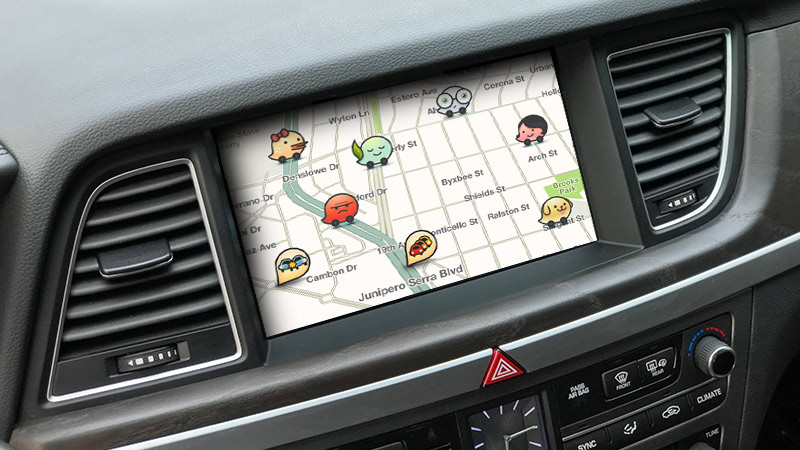
Google WazeIt’s not often that a piece of software creates a significant impact on our daily lives. Milestone social media apps like Facebook and Twitter most certainly remain in the limelight, but when it comes to actually being productive, Waze is a major step forward in navigation apps for our smartphones. In the summer of 2017, Waze announced that it would include compatibility with Android Auto to make it, quite possibly, the best navigation solution for Android phone users to date.

What is Waze?

WazeWhen Waze launched in 2006 it was called FreeMap Israel. It was a turn-by-turn navigation application for smartphone users. Fast forward to 2013: Waze won the prestigious Best Overall App award at the Mobile World Congress conference. In the same year, Waze was purchased by Google for an impressive $1 billion. Google knows the value of information better than almost any other company in the world, so its choice to invest in Waze makes sense.

Waze Map Updates

Waze differs from other navigation solutions in two very important ways. Users of Waze have the ability to update map information. If there is new construction in your neighborhood or a reconfiguration of a freeway onramp, you can update the map information in real time on your smartphone. That information will be integrated into the map database, and all other Waze users can continue to enjoy the latest mapping and navigation information without the need to wait for updates or downloads.

Historically, changes to map information could take anywhere from months to years to become available. While map companies like TomTom (formerly TeleAtlas) and HERE (formerly Navteq) do update their databases quite frequently, that new information takes time to trickle through the update process for portable and vehicle navigation systems. Waze is up-to-date within hours.

Real-time Traffic Information

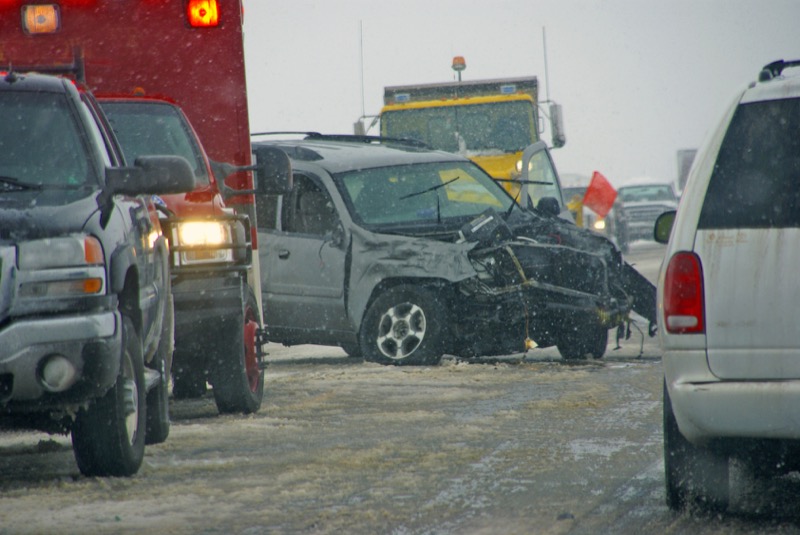
WazeThe second key feature of Waze is its ability to share traffic flow information with fellow users. Waze is often referred to as a crowdsourced navigation solution, as users can report traffic jams, accidents, road closures and the presence of police. Within seconds of reporting an accident or a traffic jam, all your fellow Waze users receive that information.

Waze will consider traffic jams as it creates new routing plans. If you live in a major urban area that is prone to congestion, this information can prevent significant delays and help get you to your destination much faster.

Using Waze with Android Auto

As voice control is the key benefit of Android Auto, using Waze to plan your drive is easy. Initiate the voice recognition command, then simply ask for the destination or address you want, and include the word Waze at the end of the address. Android Auto will launch Waze and calculate your route.

The Waze interface on Android Auto is very similar to what you would see while using it on your smartphone. The fonts on the screen are nice and large, and accessing route-planning options like avoiding toll roads or picking a different route are easy to get to. Many users report that Waze is, in fact, easier to configure than Google Maps.

Reporting Information

WazeAs we mentioned, a key feature of Waze is the ability to report information to other users. Tapping the Listen button will let you report traffic jams, accidents, bad weather, road closures, and more by talking to the system. You can say, “Report a traffic jam,” and Waze will ask you how bad it is. You can share the location of hidden or visible police or let your fellow Wazers know there is a pothole or ice on the road.

As users approach the location where you have provided information, they will see an alert on their screen. In the case of obstacles and police, your fellow users can also report that the obstacle has been cleared. It’s all simple, quick and easy – just like Android Auto itself.

The Navigation Experience

WazeOf course, Waze includes full turn-by-turn navigation prompting and will read out street and freeway names. You get lots of warning to let you know what maneuver is coming up next to reduce the need for sudden lane changes that can endanger you and your fellow drivers.

When you plan a route with Waze, you have the option of choosing from three different routes. Waze displays obstacle icons along a bar and the associated travel time and distance for each route. Choosing the best path is quick, easy and efficient.

If Waze is alerted to a traffic jam along your route, it will provide you with a prompt that suggests a new route and the new travel time and estimated time of arrival. You can, of course, choose to ignore that advice, but we recommend you don’t.

Another cool feature of Waze is that it will notify you of obstacles, even without a route planned. If you are driving along and someone has reported a pothole or hidden police officer, the notification appears just the same.

Is There a Downside to Waze?

Do silver linings always have a dark cloud? Maybe, maybe not. There is one limitation to Waze that is a bit of an annoyance. You can only plan routes that are less than 1,000 miles. If you are in San Francisco and want to go to Niagara Falls, you can’t plan a single route. You need to choose a destination within 1,000 miles, then plan another 1,000 miles from that point. What’s more frustrating, Google Maps CAN plot that route. Waze provides a message that they are “working to increase that distance,” but that’s been a limitation for a long time.

The other thing about Waze is advertisements. We all know that Google loves to sell advertising. Companies like McDonald’s, Whole Foods and Taco Bell all pay for pop-up ads that are displayed when you are using Waze on your smartphone. Good news, though: These advertisements aren’t currently displayed when you are using Waze with Android Auto. That would be contradictory to the philosophy of reducing driver distractions.

Check out Android Auto and Waze Today

If your car, truck or SUV came with Android Auto, then check out Waze next time you are in the car. If you don’t have an Android Auto-equipped radio, drop into your local mobile enhancement retailer and ask if there is a solution for your vehicle. Android Auto and CarPlay are amazing products, and can not only make your time behind the wheel much safer but also more productive.

This article is written and produced by the team at www.BestCarAudio.com. Reproduction or use of any kind is prohibited without the express written permission of 1sixty8 media.
Filed Under: ARTICLES, Car Audio, Navigation, RESOURCE LIBRARY

Rigid Light Bar Provides Greater Visibility for 2020 RAM 1500 Driver

12/19/2019 By John Schwartz

2020 Ram 1500
2020 Ram 1500
2020 Ram 1500
2020 Ram 1500

A repeat customer from Lithia Dodge of Anchorage recently visited us here at Perfectionist Auto Sound and Security with his beautiful 2020 Ram 1500. He was interested in upgrades for lighting, so one of our installation technicians went outside and began a consultation with the customer, looking closely at the setup he already had on his truck. After looking at the vehicle together, they talked over the many options available for upgrades.

The customer fell in love with Rigid Lighting, a brand we have come to love and trust here at Perfectionist. After discussing light patterns and what would work best for the customer’s specific needs and the weather conditions here in Alaska, they decided on installing the Rigid Industries Rig122313 20″ light bar on the truck. The consultation was completed by the customer booking an appointment and our technician setting aside all of the parts needed for the install.

On the day of the appointment, after disassembling the bumper, grille and bumper caps, our technician was able to build metal brackets to house the light bar mounts. Once the 20″ light bar was mounted with a relay harness, we reassembled the truck and aimed the light bar appropriately. The install was completed with a simple cleaning of the vehicle and the area we worked around.

Once the vehicle was all cleaned up, we presented the customer with their vehicle and demonstrated the new lights. They were ecstatic! The final look was sleek, clean and exactly what they had wanted.

Here at Perfectionist, we strive to provide satisfaction to all of our amazing customers, and have extremely experienced technicians and salespeople to guide you through all of your lighting needs.

If you are interested in a lighting upgrades for your car or truck, drop by Perfectionist Auto Sound and Security or e-mail us using our online contact form.

Filed Under: INSTALLATIONS, Lighting, Truck Accessories Tagged With: 2020, LED Lighting, Light Bars, RAM 1500, Rigid Industries

  • « Previous Page
  • 1
  • …
  • 34
  • 35
  • 36
  • 37
  • 38
  • …
  • 82
  • Next Page »

801 EAST 82ND AVE
ANCHORAGE ALASKA 99518
907-563-8112

Copyright © 2026 | Site design by award-winning creative agency D'zine Alaska , with site support by 1sixty8 Media and Modern Media Geeks.